
Compose stimuli from components#
Most visual stimuli consist of multiple geometric elements combined together. For example, a Gabor is a composition of a sinusoidal grating and a Gaussian envelope.
Note
Many common stimulus compositions are already implemented in stimupy.stimuli (checkerboards, Gabors, plaids, etc.). The methods in this guide are primarily for when you need to create custom compositions that aren’t available as pre-built functions.
This guide shows you different ways to compose stimuli from the basic geometric components that stimupy provides.
import numpy as np
import matplotlib.pyplot as plt

from stimupy.utils import plot_stim, plot_stimuli
from stimupy.components import shapes
Method 1: Direct composition functions#
When to use: For common patterns where stimupy provides dedicated functions. Start here - check if your desired composition already exists before building from scratch.
Available types:
Geometric patterns:
stimupy.components.radials.rings(),stimupy.components.angulars.segments(),stimupy.components.frames.frames()Complete stimuli:
stimupy.stimuli.gratings,stimupy.stimuli.checkerboards, etc.
from stimupy.components.radials import rings
from stimupy.stimuli.gratings import on_grating
from stimupy.stimuli.plaids import sine_waves as plaid_sine

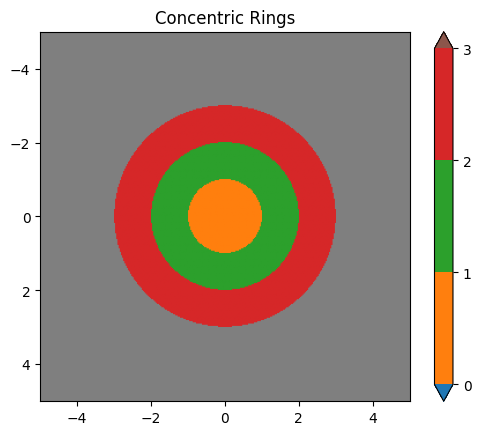
# Example 1: Concentric rings (geometric components)
visual_size = (10, 10)
ppd = 32

ring_stim = rings(visual_size=visual_size, ppd=ppd,
                  radii=(1, 2, 3),
                  intensity_rings=(0.2, 0.8, 0.4),
                  intensity_background=0.5)

plot_stim(ring_stim, mask="ring_mask", stim_name="Concentric Rings")
plt.show()
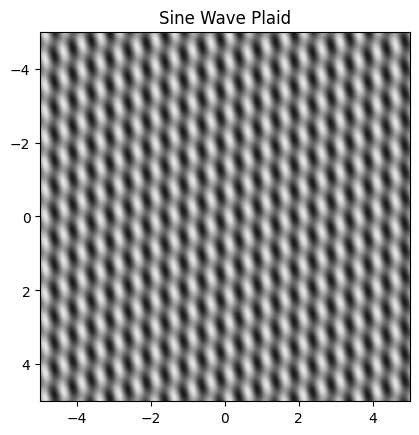
# Example 2: Sine wave plaid (complex composition)
grating1_params = {
    "visual_size": visual_size,
    "ppd": ppd,
    "frequency": 2,
    "intensities": (0.0, 1.0),
    "rotation": 0
}
grating2_params = {
    "visual_size": visual_size,
    "ppd": ppd,
    "frequency": 2,
    "intensities": (0.2, 0.8),
    "rotation": 45,
    "round_phase_width": False,
}

plaid_stim = plaid_sine(grating1_params, grating2_params)

plot_stim(plaid_stim, stim_name="Sine Wave Plaid")
plt.show()
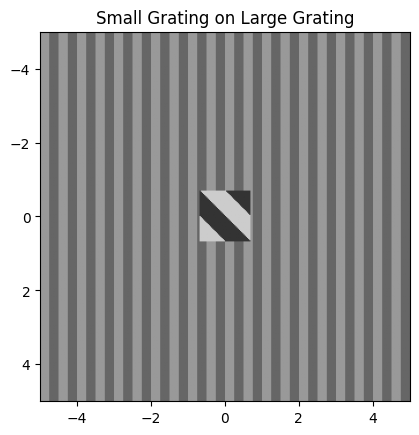
# Example 3: Small grating on larger grating (complete stimulus)
small_grating_params = {
    "ppd": ppd,
    "bar_width": 0.5,
    "n_bars": 4,
    "intensity_bars": (0.2, 0.8),
    "rotation": 45,
    "round_phase_width": False,
}

large_grating_params = {
    "visual_size": visual_size,
    "ppd": ppd,
    "frequency": 2,
    "intensity_bars": (0.4, 0.6),
    "rotation": 0
}

grating_stim = on_grating(small_grating_params=small_grating_params,
                         large_grating_params=large_grating_params)

plot_stim(grating_stim, stim_name="Small Grating on Large Grating")
plt.show()
/home/joris/Research/stimupy/stimupy/utils/resolution.py:350: UserWarning: Rounding shape; 4.296875 * 32.0 = 137.5 -> 137
  warnings.warn(f"Rounding shape; {visual_angle} * {ppd} = {fpix} -> {pix}")
Method 2: Simple array operations#
When to use: For basic combinations where you want to apply operations across entire images.
Steps:
Create your component stimuli
Apply numpy operations (addition, subtraction, multiplication) to the
"img"arraysWrap the result in a stimulus dictionary
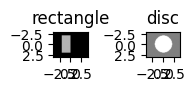
# Step 1: Create components
rectangle = shapes.rectangle(visual_size=(6,8), ppd=10,
                        rectangle_size=(4,2), rectangle_position=(1,2),
                        intensity_rectangle=.7)

disc = shapes.disc(visual_size=(6,8), ppd=10,
                        radius=2,
                        intensity_disc=1, intensity_background=.5)

plot_stimuli({"rectangle": rectangle, "disc": disc})
plt.show()
# Step 2: Apply operation
new_img = disc["img"] - rectangle["img"]

# Step 3: Create stimulus dictionary
composed_stim = {
    "img": new_img,
    "visual_size": disc["visual_size"],
    "ppd": disc["ppd"]
}

plt.imshow(new_img, cmap="gray")
plt.title("Simple subtraction")
plt.show()
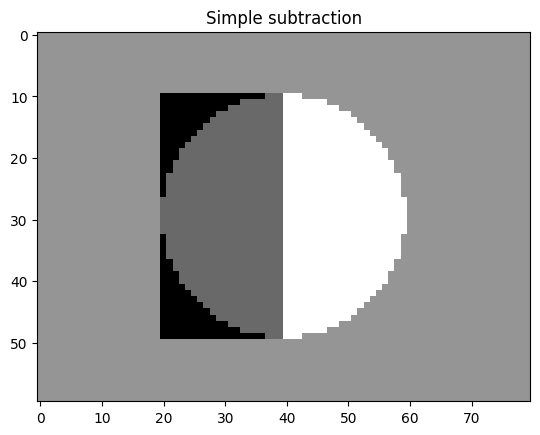
Limitation: This method operates on entire images, including background regions, which may not give you the precise control you need.
Method 3: Mask-based composition#
When to use: When you need precise control over which regions are affected by operations.
Steps:
Create your component stimuli
Extract and combine the masks using logical operations
Use the combined mask to create your final image
# Step 1: Create components (reusing from above)

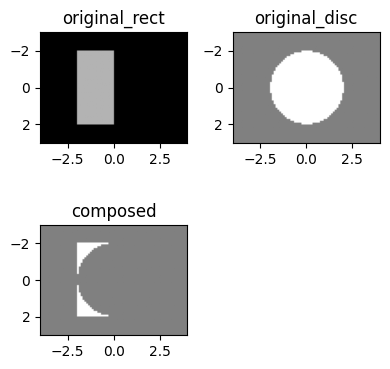
# Step 2: Create logical mask combination
# Remove rectangle where it overlaps with disc
anti_join_mask = (rectangle["rectangle_mask"] == 1) & (~(disc["ring_mask"] == 1))

# Step 3: Create image using mask
composition = {
    "img": np.where(anti_join_mask, 1, .5),
    "anti_join_mask": anti_join_mask,
    "visual_size": disc["visual_size"],
    "ppd": disc["ppd"]
}

plot_stimuli({"original_rect": rectangle, "original_disc": disc, "composed": composition})
More complex example: Dartboard#
from stimupy.stimuli.bullseyes import circular as bullseye_circular
from stimupy.stimuli.waves import square_angular

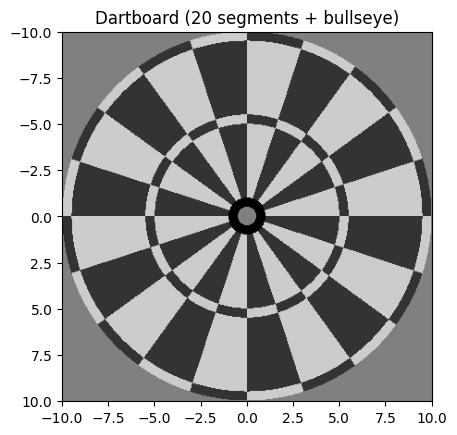
# Create dartboard by combining angular segments (pinwheel) and concentric rings
dartboard_size = (20, 20)
dartboard_ppd = 20

# Step 1: Create a bullseye stimulus (set of concentric rings)
bullseye = bullseye_circular(visual_size=dartboard_size, ppd=dartboard_ppd,
                    n_rings=20, intensity_background=0.5)

# Step 2: Create base dartboard (segments + bullseye)
# First set of angular segments
wheel1 = square_angular(visual_size=dartboard_size, ppd=dartboard_ppd,
                       n_segments=20, intensity_segments=(0.2, 0.8))

# Step 3: Combine segments with bullseye to create base dartboard
base_dartboard_img = wheel1["img"].copy()
base_dartboard_mask = wheel1["segment_mask"].copy()

# Add bullseye in center (override segments in center area)
bullseye_center = bullseye["ring_mask"] <= 2  # inner bullseye only
base_dartboard_img = np.where(bullseye_center, bullseye["img"], base_dartboard_img)
# Keep bullseye rings in mask
base_dartboard_mask = np.where(bullseye_center, bullseye["ring_mask"], base_dartboard_mask)

# Step 4: Create opposite segments for scoring rings
wheel2 = square_angular(visual_size=dartboard_size, ppd=dartboard_ppd,
                       n_segments=20, intensity_segments=(0.8, 0.2))  # reversed intensities

# Step 5: Replace selected scoring rings with opposite pattern
# Identify specific scoring rings (e.g., rings 11 and 20)
scoring_rings = (bullseye["ring_mask"] == 11) | (bullseye["ring_mask"] == 20)

# Final dartboard: base + scoring ring replacements
dartboard_img = base_dartboard_img.copy()
dartboard_img = np.where(scoring_rings, wheel2["img"], dartboard_img)

# Final mask: combine all regions
combined_mask = base_dartboard_mask.copy()
combined_mask = np.where(scoring_rings, bullseye["ring_mask"], combined_mask)

# Step 6: Create final dartboard stimulus
dartboard = {
    "img": dartboard_img,
    "mask": combined_mask,
    "visual_size": dartboard_size,
    "ppd": dartboard_ppd
}

plot_stim(dartboard, stim_name="Dartboard (20 segments + bullseye)")
plt.show()
Using helper functions for mask-based composition#
For standard mask-based workflows, stimupy provides helper functions that streamline the process:
Key functions:
stimupy.components.combine_masks(): Merge multiple masks into one indexed maskstimupy.components.draw_regions(): Draw regions based on a mask with different intensities
from stimupy.components import combine_masks, draw_regions

# Step 1: Create multiple components
visual_size = (10, 12)
ppd = 10

disc = shapes.disc(visual_size=visual_size, ppd=ppd,
                   radius=2, intensity_disc=.5, intensity_background=.5)

ring_1 = shapes.ring(visual_size=visual_size, ppd=ppd,
                     radii=(2, 3), intensity_ring=1, intensity_background=.5)

ring_2 = shapes.ring(visual_size=visual_size, ppd=ppd,
                     radii=(3, 4), intensity_ring=0, intensity_background=.5)

# Step 2: Combine masks
combined_mask = combine_masks(disc["ring_mask"], ring_1["ring_mask"], ring_2["ring_mask"])

# Step 3: Draw regions with desired intensities
img = draw_regions(mask=combined_mask,
                   intensities=[0.5, 1, 0],  # intensities for regions 1, 2, 3
                   intensity_background=0.5)

# Step 4: Create final stimulus
bullseye = {
    "img": img,
    "mask": combined_mask,
    "visual_size": visual_size,
    "ppd": ppd
}

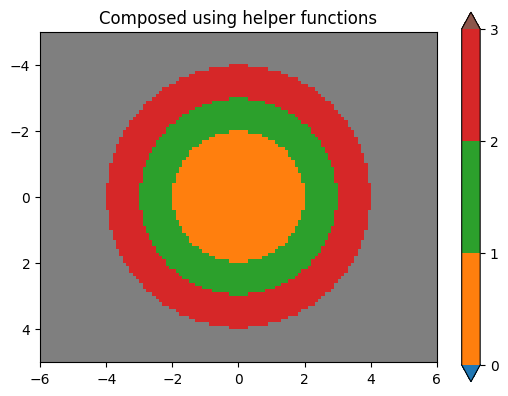
plot_stim(bullseye, mask="mask", stim_name="Composed using helper functions")
plt.show()
Common mask operations:
Intersection:
(mask1 == 1) & (mask2 == 1)Union:
(mask1 == 1) | (mask2 == 1)Difference:
(mask1 == 1) & (~(mask2 == 1))
For more details on working with masks, see the Masks guide.
Choosing the right method#
Method |
Best for |
Pros |
Cons |
|---|---|---|---|
Direct functions |
Common patterns |
Complete solution, optimized |
Only for pre-defined patterns |
Array operations |
Simple combinations |
Fast, straightforward |
Limited control, affects entire image |
Mask-based |
Precise region control |
Fine-grained control, helper functions available |
More complex setup |
General workflow#
Regardless of method, the general composition workflow is:
Plan your composition: Identify the components and how they should interact
Create components: Generate the basic geometric elements
Combine appropriately: Choose the method that best fits your needs
Validate result: Check that the composition matches your intention
The stimupy.components provide the building blocks, and these composition methods let you combine them into more complex visual stimuli.